Now on the App Store

بِسْمِ اللّٰهِ

Block distractions.
Remember Allah.

Pick any app that steals your time. Social media, games, anything. Before you can scroll, DhikrLock asks for a moment of dhikr first. A small act. A big shift.

How it works

Simple. Intentional. Effective.

Step 01

📱

Choose your apps

Select the apps that pull you away. Social, video, games, anything. DhikrLock guards them using iOS Screen Time.

Step 02

🔒

Apps get blocked

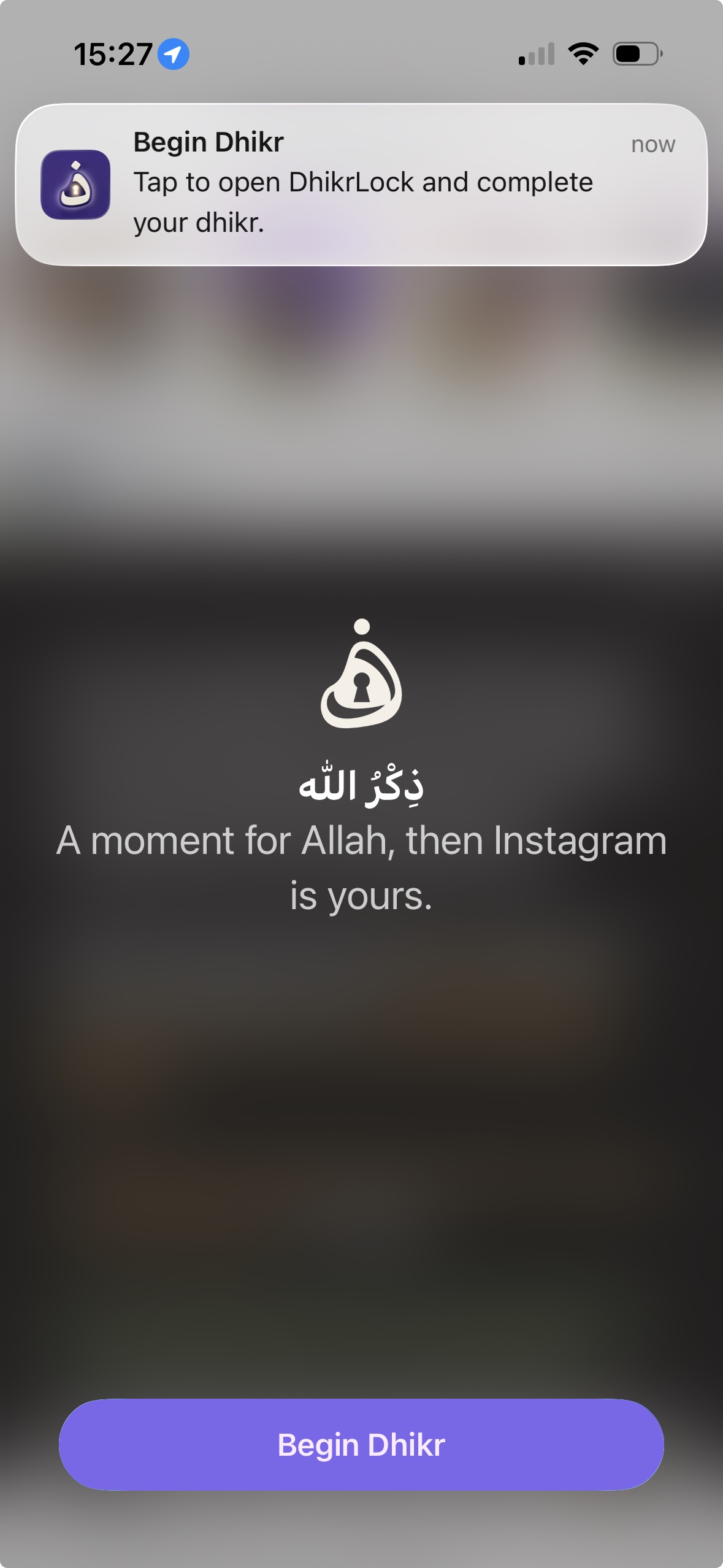
Whenever you try to open a blocked app, a shield appears. To continue, you must complete your dhikr first.

Step 03

📿

Complete your dhikr

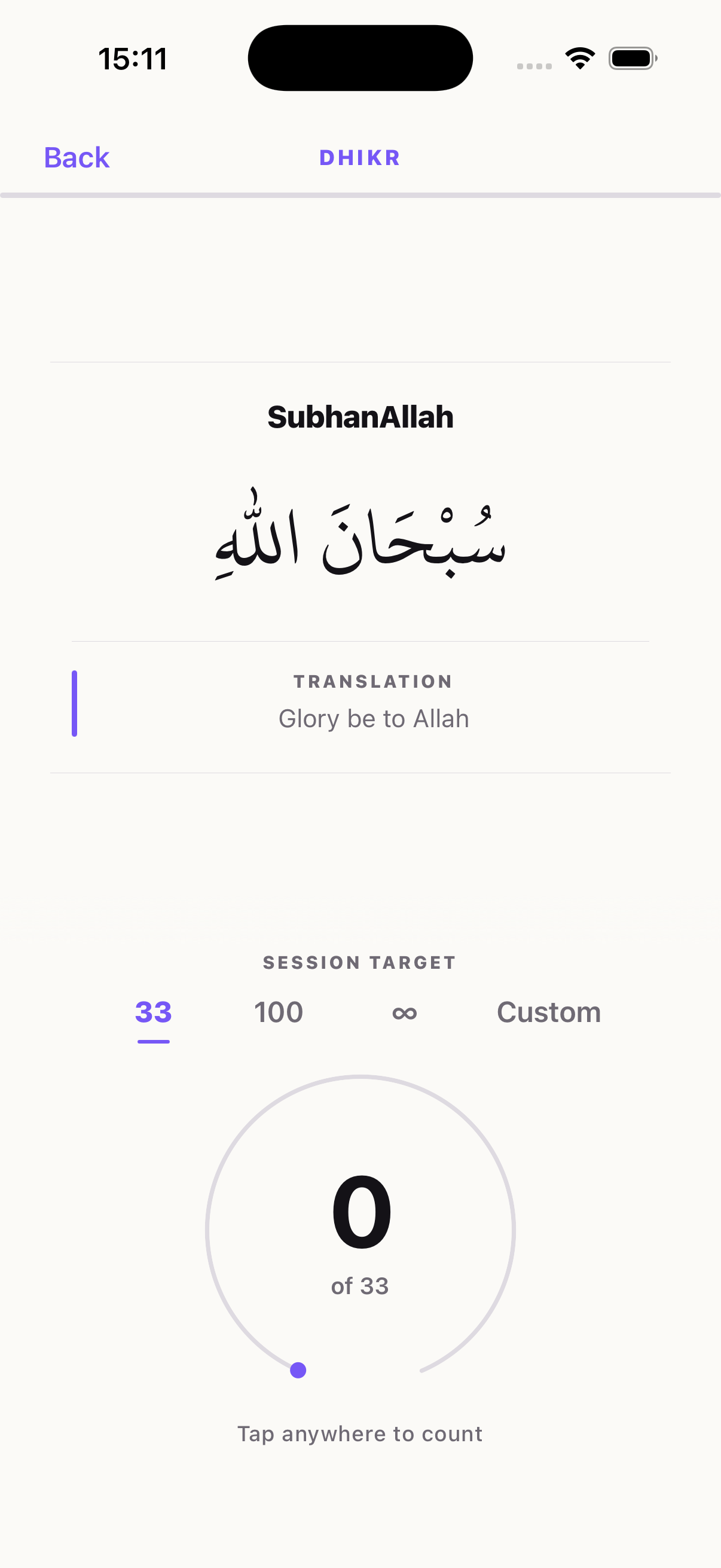
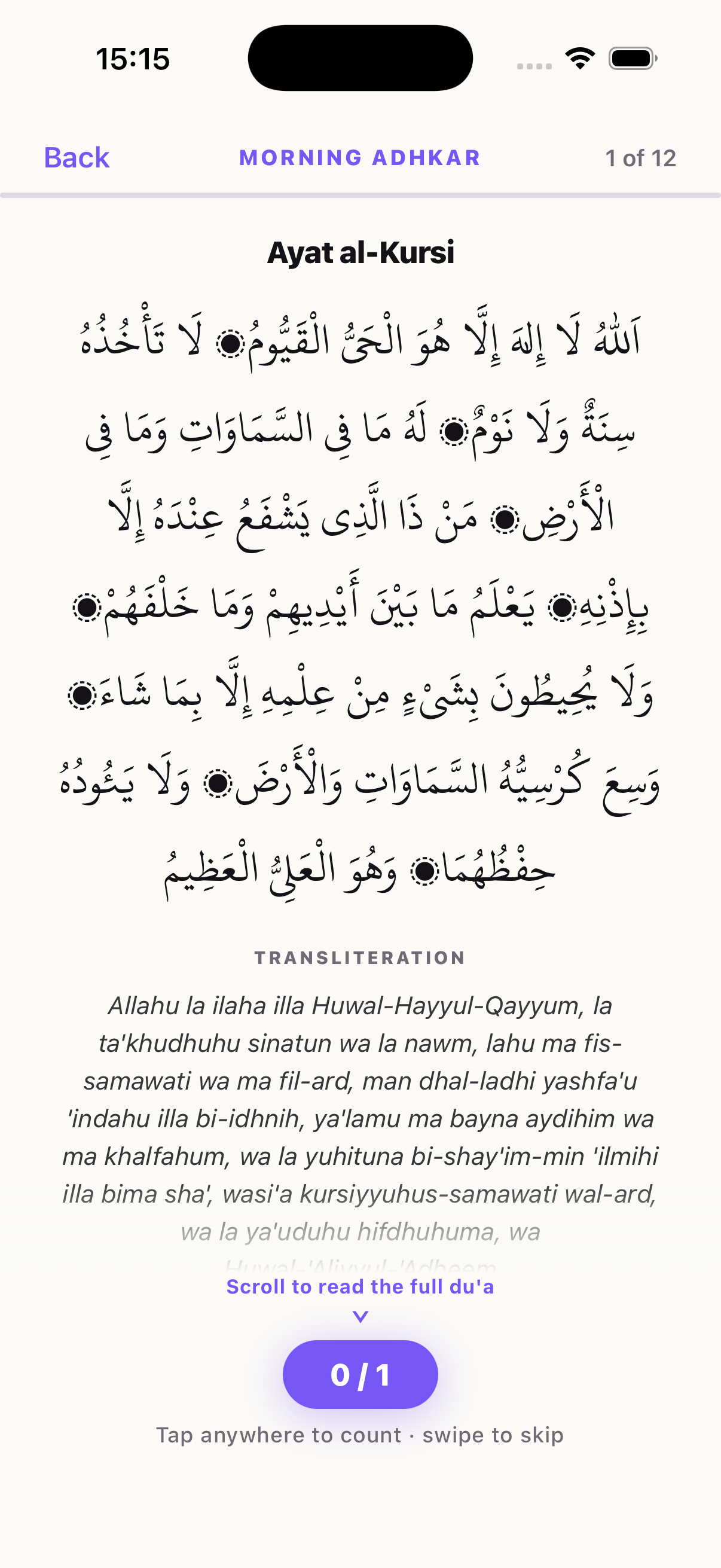
Tap through a full set of remembrance. SubhanAllah, Alhamdulillah, Allahu Akbar, or Astaghfirullah. Then access is yours.

DhikrLock tasbih counter screen

Your dashboard

Track every remembrance.

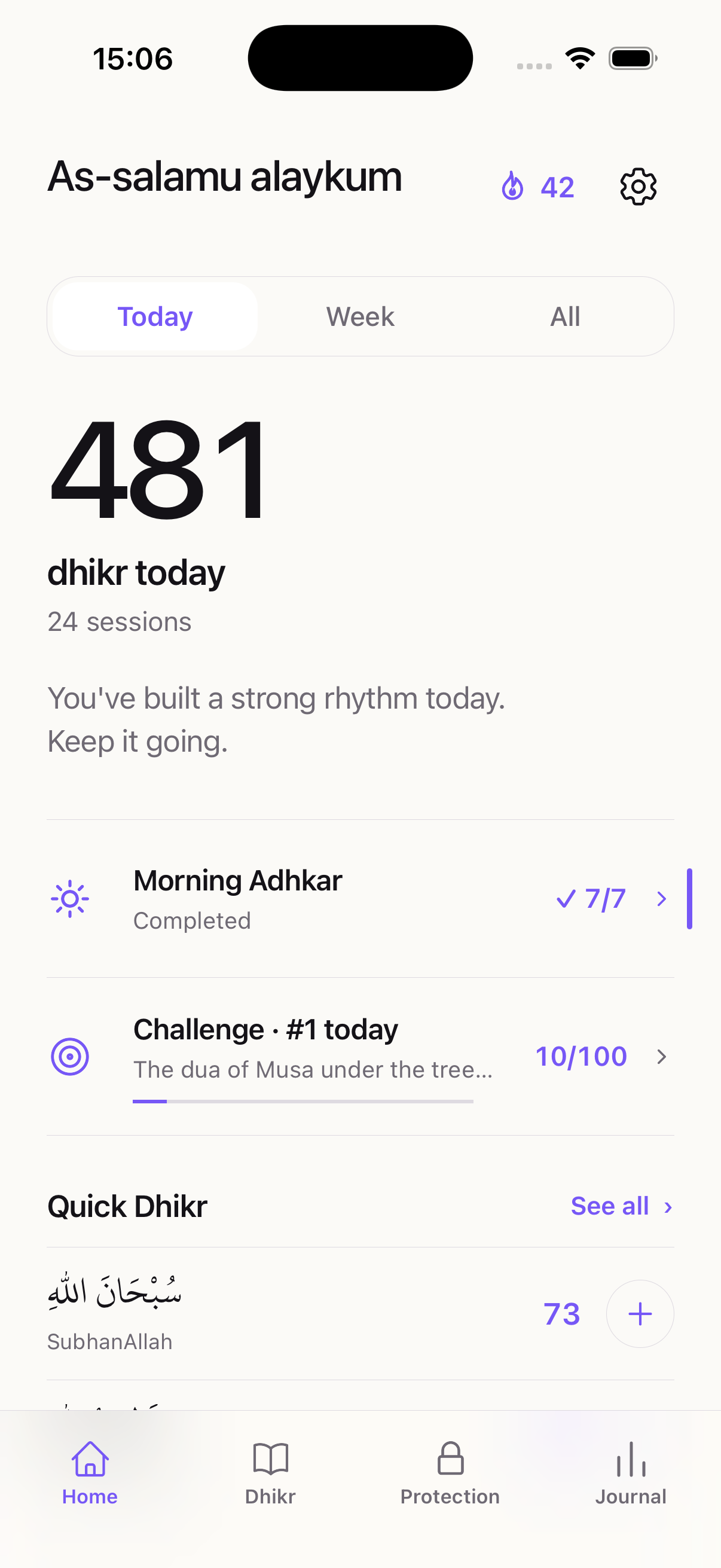
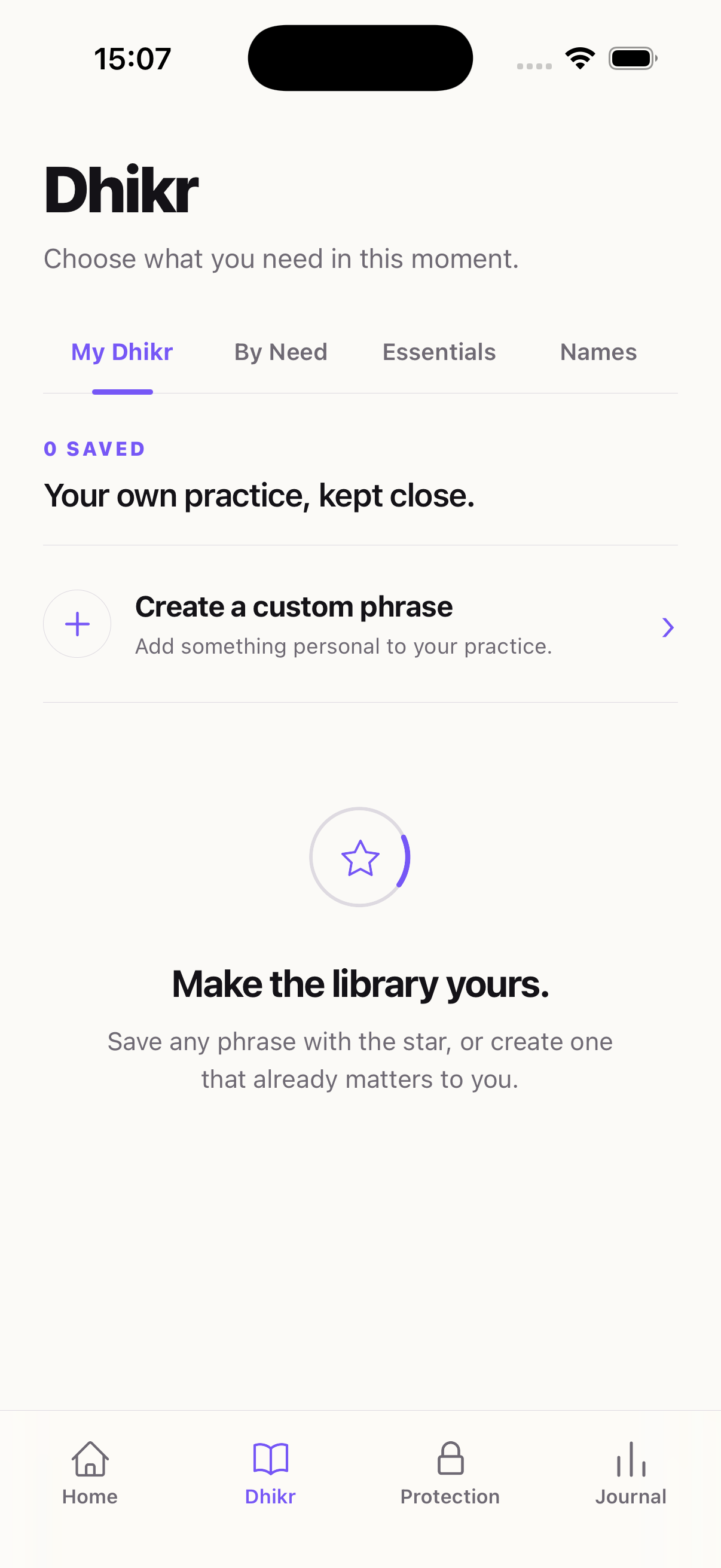
Your home screen shows exactly how much dhikr you've done today, this week, or all time. Watch the numbers grow as your habit builds.

📊

Unlock counter

See how many times you've chosen dhikr over distraction today.

📿

Per-phrase breakdown

Track reps for each dhikr phrase individually across any time period.

☁️

Synced across devices

Sign in once and your streak, stats and settings follow you to every iPhone and iPad.

🔥

Built for consistency

The more you use it, the more your numbers reflect real spiritual growth.

The four remembrances

سُبْحَانَ اللّٰهِ SubhanAllah
اَلْحَمْدُ لِلّٰهِ Alhamdulillah
اَللّٰهُ أَكْبَرُ Allahu Akbar
أَسْتَغْفِرُ اللّٰهَ Astaghfirullah

A random phrase, every time.

Each session picks a different remembrance from the pool, keeping the practice fresh and varied.

Features

Built for real discipline.

🛡️

Screen Time enforced

Uses Apple's native Screen Time API. Apps stay locked until dhikr is genuinely completed. No bypasses.

📊

Daily streaks & history

Track how many times you've completed dhikr today, this week, and overall. Build a habit worth keeping.

⚙️

Your reps, your pace

Set 7, 10, 33 or 100 repetitions per session. Or set a custom count. The practice scales with your intention.

🌙

Re-locks on phone lock

Completed your dhikr? Apps unlock. Lock your phone? They lock again. Every new session starts with intention.

☁️

Streak that survives

Your account syncs your streak and settings across devices and reinstalls. Switch phones, keep your progress. Your ibadah history stays with you.

📿

Standalone counter

Open DhikrLock anytime to count dhikr independently. No need to be unlocking an app to use it.

أَلاَ بِذِكْرِ اللَّهِ تَطْمَئِنُّ الْقُلُوبُ

Verily, in the remembrance of Allah do hearts find rest.

Qur'an · 13:28

Frequently asked

Questions, answered.

Does this actually lock my apps?
Yes. DhikrLock uses Apple's Screen Time API, the same system iOS uses for parental controls. Blocked apps stay blocked at the operating system level until you complete your dhikr. There are no shortcuts and no bypasses.
How much does DhikrLock cost?
DhikrLock starts with a 7 day free trial. After that, you can continue with a monthly, yearly, or one time lifetime purchase on the App Store. Cancel anytime in iPhone Settings before the trial ends and you won't be charged.
Does DhikrLock see what apps I block?
No. Apple's Screen Time framework gives us an encrypted, opaque token that only iOS can read. We never see the names of the apps you're guarding, your usage data, or anything inside those apps. Your selection stays on your device.
What counts as dhikr?
You choose. Every session uses one of four core remembrances (SubhanAllah, Alhamdulillah, Allahu Akbar, Astaghfirullah) and you can set the number of repetitions. 7, 10, 33, 100, or your own custom count.
Do I need to create an account?
Yes. You sign in with Apple or email during onboarding so your streak, stats and subscription stay tied to you across devices and reinstalls. It takes a tap with Apple Sign In.
Can I change which apps are blocked later?
Yes. Open DhikrLock any time and update your selection. Add apps that have started pulling you in, remove ones you've made peace with. Nothing is locked in.

اَللّٰهُ أَكْبَرُ

Start today.

Install DhikrLock on your iPhone or iPad. Begin with a 7 day free trial. Cancel anytime in iPhone Settings.